Work directly with your files.
Search the workspace, edit code, run commands, and create documents with local tools.
Code, create, and review in one open-source desktop workspace. Powered by your choice of local or cloud AI.
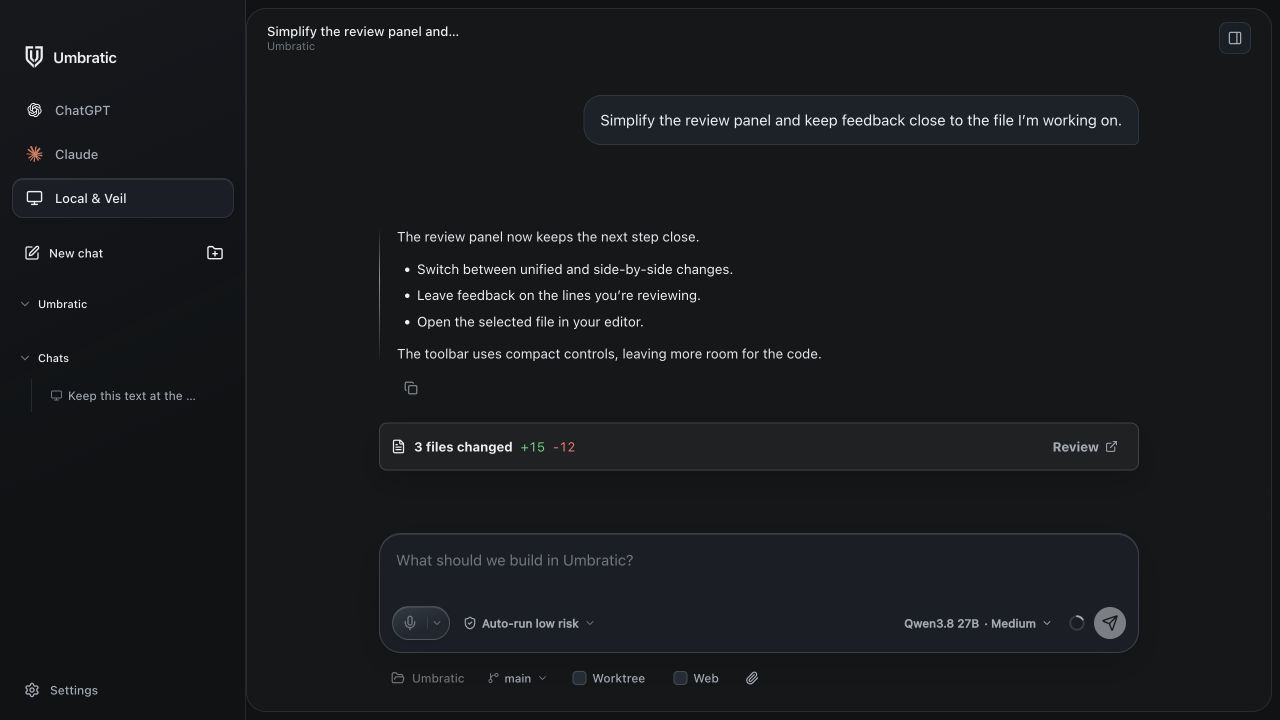
Keep your models, tools, and work together.
Search the workspace, edit code, run commands, and create documents with local tools.
Use ChatGPT through Codex, Claude through Claude Code, a local model, or your own Veil server.
Steer a running task, queue the next step, and review changes before moving on.
Create documents, spreadsheets, presentations, and PDFs with skills built into your workspace.
Review code changes and give document feedback without leaving your workspace.
Review a document and leave feedback directly on the text.
Compare changes, leave feedback, and open the file in your editor.
From the Umbratic app. Sample content. Select an image for a closer look.

No usage analytics. No automatic telemetry uploads. Chat history and diagnostic logs stay on your device.
Run inference locally, use your own Veil server, or connect a supported cloud provider. Cloud requests follow that provider’s policies.
How privacy worksDownload Umbratic for macOS or Windows. Free and open source, with no Umbratic subscription.
Find builds for macOS 13+ on Apple Silicon and Windows x64/ARM64, plus release notes and checksums on GitHub.
View releasesExplore the code, run locally, and help shape what comes next.
Read the setup guide